-
Analog Stats
Posted on 01 Mar 2007 by
Warning: printf(): Too few arguments in /home2/blogwebhostingbu/public_html/wp-content/themes/webhostingbuzz-blog/index.php on line 16
The Analog reporting tool presents a comprehensive coverage of web server statistics available for your web site using CPanel. Refer to the following links for more information about the Analog tool: http://www.analog.cx/docs/meaning.html h...read more
-
What are Web/FTP Stats??
Posted on 01 Mar 2007 by
Warning: printf(): Too few arguments in /home2/blogwebhostingbu/public_html/wp-content/themes/webhostingbuzz-blog/index.php on line 16
The Web / FTP Statistics area presents you with a wide variety of information about your web site, from the latest visitors to a detailed monthly summary of hits, as well as providing an error log. Use the Statistics tools to keep track of ...read more
-
Frontpage Problems!!
Posted on 01 Mar 2007 by
Warning: printf(): Too few arguments in /home2/blogwebhostingbu/public_html/wp-content/themes/webhostingbuzz-blog/index.php on line 16
If you are having problems publishing through FP then please register and open up a ticket under whbsupport.com....read more
-
Uninstalling Frontpage Extensions
Posted on 01 Mar 2007 by
Warning: printf(): Too few arguments in /home2/blogwebhostingbu/public_html/wp-content/themes/webhostingbuzz-blog/index.php on line 16
If you are having problems publishing your site using Frontpage, the first test is to uninstall and then reinstall your Frontpage Extensions. If you are still having trouble with Frontpage after that, contact your hosting administrator for ...read more
-
How to install Frontpage Extensions?
Posted on 01 Mar 2007 by
Warning: printf(): Too few arguments in /home2/blogwebhostingbu/public_html/wp-content/themes/webhostingbuzz-blog/index.php on line 16
Frontpage Extensions allow you to publish your web site using Microsoft Frontpage. These extensions can occasionally become corrupted, so you can uninstall and then reinstall Frontpage Extensions whenever required. To (re)install Frontpage ...read more
-
Do you allow remote host access?
Posted on 01 Mar 2007 by
Warning: printf(): Too few arguments in /home2/blogwebhostingbu/public_html/wp-content/themes/webhostingbuzz-blog/index.php on line 16
We do not allow remote servers to access your MySQL databases on the server because of security reasons....read more
-
Managing MySQL databases
Posted on 01 Mar 2007 by
Warning: printf(): Too few arguments in /home2/blogwebhostingbu/public_html/wp-content/themes/webhostingbuzz-blog/index.php on line 16
CPanel includes a web-based MySQL management tool called phpMyAdmin. This tool allows you to manage all aspects of your database structure and data. Refer to the phpMyAdmin documentation link, which is http://yourURL/3rdparty/phpMyAdmin/Doc...read more
-
Removing a MYSQL user’s permissions
Posted on 01 Mar 2007 by
Warning: printf(): Too few arguments in /home2/blogwebhostingbu/public_html/wp-content/themes/webhostingbuzz-blog/index.php on line 16
A user will no longer be able to access a particular database when you have removed their permissions to that database. To remove a user’s permissions: Click on the MySQL databases button on the home page. Click on the Delete button n...read more
-
Grant a user’s permissions to a MySQL database
Posted on 01 Mar 2007 by
Warning: printf(): Too few arguments in /home2/blogwebhostingbu/public_html/wp-content/themes/webhostingbuzz-blog/index.php on line 16
Once you have created a user to use a database you need to grant that user permission to use the database. If you have not yet created a user, refer to Creating a MySQL user for more information. To grant user permissions to a MySQL databas...read more
-
Removing a MySQL user
Posted on 01 Mar 2007 by
Warning: printf(): Too few arguments in /home2/blogwebhostingbu/public_html/wp-content/themes/webhostingbuzz-blog/index.php on line 16
Removing a user deletes that user – it removes all database permissions that the user has and does not allow that user access to any MySQL databases. To remove a user: Click on the MySQL databases button on the home page. Click on the...read more
Notice: Undefined variable: loop in /home2/blogwebhostingbu/public_html/wp-content/themes/webhostingbuzz-blog/index.php on line 23
Notice: Trying to get property 'max_num_pages' of non-object in /home2/blogwebhostingbu/public_html/wp-content/themes/webhostingbuzz-blog/index.php on line 23
Featured
-
We’ve launched a brand new website design!
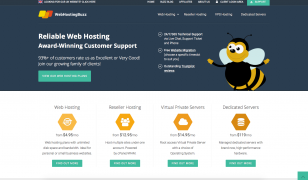
Posted on 16 Feb 2015 by Adam
Hello! As you may have spotted, we recently launched a brand new website design on WebHostingBuzz.com. Having focused ou...read more
Categories
Twitter Feed
Find Us on Facebook

© WebHostingBuzz USA LLC 2002 - 2026
WebHostingBuzz is a Registered Trademark.
All Rights Reserved.
WebHostingBuzz USA LLC, 850 Southbridge Street, Auburn, MA 01501, USA
1 (800) 252-1887


