-
Parked Domains
Posted on 01 Mar 2007 by
Warning: printf(): Too few arguments in /home2/blogwebhostingbu/public_html/wp-content/themes/webhostingbuzz-blog/index.php on line 16
You can set up a domain name that you own to point to another domain name. This is known as “parking” a domain. Example: You own the business.co.nz and innovation.co.nz domain names. You already have a web site for business.co.n...read more
-
How to change password in CPANEL?
Posted on 01 Mar 2007 by
Warning: printf(): Too few arguments in /home2/blogwebhostingbu/public_html/wp-content/themes/webhostingbuzz-blog/index.php on line 16
Your domain password is the password you use to log on to your CPanel. You should change this occasionally to maximize your site security. You should always change your password if you think someone else has access to your account. To chang...read more
-
How do I login/logout of CPANEL?
Posted on 01 Mar 2007 by
Warning: printf(): Too few arguments in /home2/blogwebhostingbu/public_html/wp-content/themes/webhostingbuzz-blog/index.php on line 16
You need to log on in order to use CPanel to manage your web site. To log on: Enter the address of your CPanel in your web browser. The address needs to be in the form of http://www.yourdomain.com:2082 or https://www.yourdomain.com:2083 Ent...read more
-
Where do i get the general server information?
Posted on 01 Mar 2007 by
Warning: printf(): Too few arguments in /home2/blogwebhostingbu/public_html/wp-content/themes/webhostingbuzz-blog/index.php on line 16
You can view a variety of information about the server from the home page. The following links are available: Service Status – Displays information about the status of the web services currently running. Installed Perl Modules –...read more
-
Where can i find the CPANEL user manual?
Posted on 01 Mar 2007 by
Warning: printf(): Too few arguments in /home2/blogwebhostingbu/public_html/wp-content/themes/webhostingbuzz-blog/index.php on line 16
http://www.cpanel.net/docs/cpanel/...read more
-
I cannot list directories when i connect to FTP
Posted on 01 Mar 2007 by
Warning: printf(): Too few arguments in /home2/blogwebhostingbu/public_html/wp-content/themes/webhostingbuzz-blog/index.php on line 16
If you cannot list directories or it gives you an error while directory listing inside FTP software. Just make sure you have enabled *passive mode*. You can do this in your software settings....read more
-
Controlling FTP sessions
Posted on 01 Mar 2007 by
Warning: printf(): Too few arguments in /home2/blogwebhostingbu/public_html/wp-content/themes/webhostingbuzz-blog/index.php on line 16
You can view and terminate FTP sessions using the provided FTP session controls. This is useful for general information and stopping unwanted FTP activity. To control FTP sessions: Click on the Ftp Manager button on the home page. Click on ...read more
-
Do you allow Anonymous FTP access?
Posted on 01 Mar 2007 by
Warning: printf(): Too few arguments in /home2/blogwebhostingbu/public_html/wp-content/themes/webhostingbuzz-blog/index.php on line 16
We do not allow anonymous ftp access....read more
-
Deleting an FTP account
Posted on 01 Mar 2007 by
Warning: printf(): Too few arguments in /home2/blogwebhostingbu/public_html/wp-content/themes/webhostingbuzz-blog/index.php on line 16
Deleting an FTP account is as simple as creating as creating the account. Deleting the account does not delete the folder or its contents, but it does prevent anyone from accessing that folder through FTP. To delete an FTP account: Click on...read more
-
Changing the password on an FTP account
Posted on 01 Mar 2007 by
Warning: printf(): Too few arguments in /home2/blogwebhostingbu/public_html/wp-content/themes/webhostingbuzz-blog/index.php on line 16
It is a good idea to regularly change your password. You should always change your password if you think someone else has access to your FTP account. To change a password on an FTP account: Click on the Ftp Manager button on the home page. ...read more
Notice: Undefined variable: loop in /home2/blogwebhostingbu/public_html/wp-content/themes/webhostingbuzz-blog/index.php on line 23
Notice: Trying to get property 'max_num_pages' of non-object in /home2/blogwebhostingbu/public_html/wp-content/themes/webhostingbuzz-blog/index.php on line 23
Featured
-
We’ve launched a brand new website design!
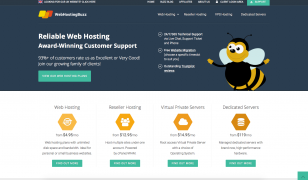
Posted on 16 Feb 2015 by Adam
Hello! As you may have spotted, we recently launched a brand new website design on WebHostingBuzz.com. Having focused ou...read more
Categories
Twitter Feed
Find Us on Facebook

© WebHostingBuzz USA LLC 2002 - 2026
WebHostingBuzz is a Registered Trademark.
All Rights Reserved.
WebHostingBuzz USA LLC, 850 Southbridge Street, Auburn, MA 01501, USA
1 (800) 252-1887


