-
Downloading FTP access logs
Posted on 01 Mar 2007 by
Warning: printf(): Too few arguments in /home2/blogwebhostingbu/public_html/wp-content/themes/webhostingbuzz-blog/index.php on line 16
Downloading an FTP log is useful for monitoring exactly what FTP actions have occurred on your domain. To download FTP access logs: Click on the Ftp Manager button on the home page. Click on the FTP Accounts link. Click on one of the URLs l...read more
-
Adding an FTP account
Posted on 01 Mar 2007 by
Warning: printf(): Too few arguments in /home2/blogwebhostingbu/public_html/wp-content/themes/webhostingbuzz-blog/index.php on line 16
An FTP account creates a folder on the public_html level of your site that allows external users that know the password to upload and download files from that location. Change your password if you think that your account is being used incor...read more
-
How do I use FTP?
Posted on 01 Mar 2007 by
Warning: printf(): Too few arguments in /home2/blogwebhostingbu/public_html/wp-content/themes/webhostingbuzz-blog/index.php on line 16
The FTP area deals with all the tools relating to setting up and managing FTP accounts, as well as managing FTP sessions. FTP (File Transfer Protocol) is a method by which you can transfer files between computers, usually using the Internet...read more
-
I cannot send emails
Posted on 01 Mar 2007 by
Warning: printf(): Too few arguments in /home2/blogwebhostingbu/public_html/wp-content/themes/webhostingbuzz-blog/index.php on line 16
If you’re having trouble sending emails on port 25 (the default SMTP port), try switching your SMTP port to port 26. Most ISPs are preventing the sending of emails on port 25 to prevent spam accross the internet, changing your SMTP po...read more
-
Change your Mail Exchanger (MX Entry) setting
Posted on 01 Mar 2007 by
Warning: printf(): Too few arguments in /home2/blogwebhostingbu/public_html/wp-content/themes/webhostingbuzz-blog/index.php on line 16
CPanel manages your e-mail through its own mail server. However, by altering your MX (Mail Exchange Record) Entry you can point your e-mail to another mail server, if this is required. Note: CPanel will not be able to manage your e-mail if ...read more
-
Tracing an e-mail address
Posted on 01 Mar 2007 by
Warning: printf(): Too few arguments in /home2/blogwebhostingbu/public_html/wp-content/themes/webhostingbuzz-blog/index.php on line 16
CPanel enables you to trace the delivery path of an e-mail address, from server to server, to your web site. To trace an e-mail address: Click on the Trace an E-mail Address link in the Mail area. Enter the e-mail address that you want to t...read more
-
Disabling Spam Assassin
Posted on 01 Mar 2007 by
Warning: printf(): Too few arguments in /home2/blogwebhostingbu/public_html/wp-content/themes/webhostingbuzz-blog/index.php on line 16
You can disable Spam Assassin whenever you require. If you are not able to receive a non-spam e-mail it is a good idea to disable Spam Assassin and have the e-mail resent. To disable Spam Assassin: Click on the Spam Assassin link in the Mai...read more
-
Enabling or disabling the Spam Box?
Posted on 01 Mar 2007 by
Warning: printf(): Too few arguments in /home2/blogwebhostingbu/public_html/wp-content/themes/webhostingbuzz-blog/index.php on line 16
The Spam Assassin Spam Box is a separate mail folder called “spam”. If enabled, all e-mail that Spam Assassin flags as spam is automatically delivered to the “spam” folder. Note: You need an IMAP e-mail client,Â...read more
-
What is Spam Assassin?
Posted on 01 Mar 2007 by
Warning: printf(): Too few arguments in /home2/blogwebhostingbu/public_html/wp-content/themes/webhostingbuzz-blog/index.php on line 16
Spam Assassin is a mail filter installed on a mail server used to identify spam. It checks for spam using a large number of pre-set rules that check the header, body, and sender of all e-mail messages sent to your domain mailbox. For more i...read more
-
How to delete a Mailing List?
Posted on 01 Mar 2007 by
Warning: printf(): Too few arguments in /home2/blogwebhostingbu/public_html/wp-content/themes/webhostingbuzz-blog/index.php on line 16
Delete a Mailman mailing list when you no longer want the list to be active. Warning: Deleting the mailing list will delete all archives, current mail, and members e-mail addresses. If you want to keep any of this information, be sure to do...read more
Notice: Undefined variable: loop in /home2/blogwebhostingbu/public_html/wp-content/themes/webhostingbuzz-blog/index.php on line 23
Notice: Trying to get property 'max_num_pages' of non-object in /home2/blogwebhostingbu/public_html/wp-content/themes/webhostingbuzz-blog/index.php on line 23
Featured
-
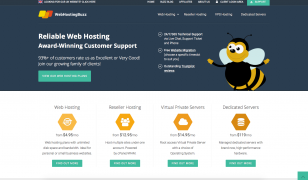
We’ve launched a brand new website design!
Posted on 16 Feb 2015 by Adam
Hello! As you may have spotted, we recently launched a brand new website design on WebHostingBuzz.com. Having focused ou...read more
Categories
Twitter Feed
Find Us on Facebook

© WebHostingBuzz USA LLC 2002 - 2026
WebHostingBuzz is a Registered Trademark.
All Rights Reserved.
WebHostingBuzz USA LLC, 850 Southbridge Street, Auburn, MA 01501, USA
1 (800) 252-1887


